
Sampling, Oversampling, Aliasing, Bit, SNR, explained well: let's clarify.(Letto 391 volte)

Introduction
If you work with digital audio or are just starting to explore the world of recording and mixing, you will have come across terms such as sampling, oversampling, aliasing and bit depth.
You can find them in your settings. DAW (Digital Audio Workstation), plugins, sound cards and AD/DA (analogue-to-digital and digital-to-analogue) converters. But how do they actually work?
This guide, written in a simple and straightforward manner, yet sufficiently comprehensive, will assist you in:
- Understanding the meaning of each parameter
- Evaluate the pros and cons of the different settings
- Making informed choices to achieve maximum audio quality without wasting computer resources
We will not use complex formulas, but clear concepts and many practical examples to enable you to understand and apply this information immediately in your work.
1. Sampling Frequency: what it is and how to choose the right value
1 – What is sampling?
Imagine you want to transform an analogue sound (i.e. the electroacoustic signal produced by a voice, an instrument or any other sound source) into a numerical sequence.
Since a computer can only handle discrete values (fixed, non-continuous numbers), it must “photograph” the value of the sound signal at precise moments and at regular intervals. Each photograph represents a sample (or sample), which is a measurement of the intensity of the waveform at a given moment.
The more often we take these “photographs”, the more detailed and fluid the digital representation of the sound will be, and the more faithful the result will be to the original.
Practical example:
- If you take pictures one photo per second of a moving car, you will only have a rough idea of its position and will lose all information about its movement.
- If you take pictures 1000 photos per second, you will see every detail with extreme precision, perfectly capturing movement.
In the digital world, this acquisition frequency is called sampling frequency and is measured in kHz (kilohertz), which indicates how many samples are recorded per second. For example, a sampling frequency of 44.1 kHz means that the system records 44,100 samples per second.
Sampling frequencies in practical use
|
Sampling frequency |
Where it is used |
Pro |
Against |
| 44.1 kHz | Audio CDs, streaming, radio, multi-track recording | Good quality standards, universal compatibility | May lose detail in high frequencies |
| 48 kHz | Professional audiovisual production, multitrack recording | Greater definition in high frequencies compared to 44.1 kHz | Increased CPU and memory usage |
| 88.2 – 96 kHz | Professional studios, film and video post-production, mastering | Greater detail fidelity, lower risk of aliasing | Little audible difference compared to 48 kHz, very large files, high CPU load |
| 176.4 – 192 kHz and above | Professional firms with enormous computing power resources | Greater fidelity, useful for extreme editing, mastering, lower risk of aliasing | No audible difference compared to 96 kHz, huge files, extremely high CPU load |
How to choose the right sampling frequency for your home studio work?
✅ Use 44.1 kHz for pop, electronic and rock music. It is the standard, compatible everywhere, no conversion is needed when exporting (bouncing) for streaming platforms or CDs, and it already has optimal quality, which is more than sufficient.
✅ Use 48 kHz if you are working with audio for video. The improvement over 44.1 is practically inaudible, but it is the standard for films, television, and podcasts, so it may be preferable to avoid conversions if you are creating a soundtrack or working on a DVD or Blu-ray disc.
✅ Only use 88.2 or 96 kHz if you are recording very high-quality acoustic sources that require few recording tracks. It is a good solution to use it for mastering, strictly using a frequency that is exactly double that used for recording the tracks (to avoid uneven truncation of the samples).
✅ Use 176.4–192 kHz or higher only if you are doing very high-quality sound design (a professional activity that is rarely done in a home studio).
❌ It makes NO sense to record at 192 kHz for pop song tracks. The improvement will be imperceptible, but the load on the CPU and the space occupied by the files will increase dramatically, putting the system under strain after just a few tracks of recording or certainly during mixing, as you add equalizers, compressors and other effects.
2 – What is oversampling?
L'oversampling is a technique that consists of temporarily processing the audio signal at a higher sampling frequency compared to the one set in your recording or mixing session.
Practical example:
Imagine you have a video at 30 frames per second (fps). If you convert it to 120 frames per second Before applying graphic effects and then returning to 30 fps, the effects will be smoother and more precise, avoiding visual artefacts.
Oversampling does the same thing with sound: it increases the number of samples to improve the accuracy of plugins. equalisation, compression, distortion and other effects, reducing the risk of aliasing (an issue we will look at in the next point).
How do you activate oversampling?
Many modern plugins offer the option to enable oversampling with a simple button. In other cases, you can select the desired value from a drop-down menu, expressed as multipliers of the session sampling frequency (e.g. 2x, 4x, 8x, etc.).
What do 2x, 4x, 8x mean?
If your session is set to 44.1 kHz, oversampling 2x will make the plugin work at 88.2 kHz, a 4x a 176.4 kHz, and so on.
When the plugin applies its processing (e.g. distortion or saturation), it does so on the version oversampled of the signal. After processing, the signal is returned to its original frequency (downsampling) so that it blends seamlessly with the rest of the mix.
Which oversampling values should be used?
Oversampling It must NOT be activated randomly.. Using it excessively can unnecessarily overload the CPU, so it is important to choose the right value based on the project.
Here is a small practical diagram
|
Session frequency |
Recommended oversampling |
Notes |
| 44.1 kHz / 48 kHz | 2x (recommended for plugins that introduce distortion), 4x (in rare cases) | To reduce aliasing in distortions, saturations, digital synths |
| 88.2 kHz / 96 kHz | 2x only in extreme cases | Usually not necessary, the sampling frequency is already high, you could only use it for distortion plugins. |
| 176.4/192kHz or higher | No oversampling | Completely useless, just a waste of resources |
Summary:
- If you are working at 44.1 or 48 kHz, 2x is sufficient in most cases, but in many cases it is unnecessary; it is mainly useful when using saturation plugins.
- With the same sampling frequencies, 4x can only be used in extreme situations (saturation and distortion at high frequencies, digital synthesis of very high-pitched sounds).
- 8x or more is almost always a waste of CPU power at any session sampling frequency, and almost never brings any real improvements.
- If your session is already at 96kHz or higher, oversampling (no more than 2x) is not necessary, except in some very specific cases, such as 4x for lower sampling frequencies.
Disadvantages of oversampling: watch out for the CPU!
Oversampling increases the load on the CPU exponentially:
- 2x doubles CPU usage
- 4x quadruples it
- 8x multiply it by 8
❌ If you enable oversampling on too many plugins, your DAW may slow down, crash, or introduce latency..
✅ If you notice performance issues, try reducing oversampling or freezing/rendering the heaviest tracks.
Practical example:
Do you have 10 distortion plugins on different tracks, all with 8x oversampling enabled? Your computer will probably start to suffer.
Do you only have 1 or 2 plugins that cause aliasing? Enable oversampling 2x or 4x only on those.
Conclusion: when and how to use oversampling?
✅ Use it sparingly.: only in plugins where you hear aliasing or digital artefacts.
✅ 2x is often sufficient to improve sound quality.
✅ More than 4x rarely brings audible benefits.
❌ Avoid activating it on all plugins at random! You may slow down your computer unnecessarily without any real gains in quality.
If you learn to use it wisely, oversampling can greatly improve the quality of your mix without putting too much strain on the system.
3 – Aliasing: the invisible enemy of digital technology
What is aliasing?
L'aliasing This is a problem that occurs when an audio signal contains frequencies that are too high for the sampling capacity of the digital system. When these frequencies exceed the Nyquist frequency, cannot be recorded correctly and are distorted, transforming into spurious frequencies that did not exist in the original signal.
The sampling theorem of Nyquist–Shannon establishes that in order to accurately represent a signal, it must be sampled at a frequency of at least double relative to the maximum frequency present in the signal itself. Half the sampling frequency is called Nyquist frequency and represents the maximum limit beyond which the system can no longer correctly represent the original frequencies.
When the signal exceeds this limit, the excess frequencies are not deleted, but yes reflect in the audible spectrum by generating aliasing. This phenomenon is called folding, as unwanted frequencies are “folded” downwards, producing unpredictable and irreversible distortions.
How does aliasing manifest itself in audio?
Aliasing appears as spurious frequencies which may sound like:
- Unnatural metallic tones or digital sounds in the high frequencies.
- Non-harmonic distortions that were not present in the original sound.
- Unpredictable sound artefacts in synthesizers or digital distortion plugins.
This is a particularly common problem when working with:
✅ Digital synthesizers, which can generate frequencies above Nyquist.
✅ Digital distortions and saturations, which create high harmonics that can become aliasing.
✅ Pitch shifting and time-stretching effects, which manipulate frequencies in ways that can generate aliasing.
The aliasing formula: how is the spurious frequency added to the audible sound calculated?
Example: 40 kHz frequency in a 48 kHz session.
Step 1: Calculate the Nyquist frequency
The Nyquist frequency is always half of the sampling frequency:
48 divided by 2 =
So the Nyquist frequency is 24 kHz.
Step 2: Is the sound above the Nyquist frequency?
Yes! Our original sound is 40 kHz, which is highest Of 24 kHz → so there will be aliasing.
Step 3: We calculate the aliasing frequency
We must subtract the twice the Nyquist frequency from the original frequency:
24 kHz x 2 = 48 kHz
40 kHz − 48 kHz = − 8 kHz, which, converted to positive, brings us back to 8 kHz.
Result:
The original 40 kHz sound cannot be recorded correctly and will be transformed into a spurious 8 kHz alias that will be added to the clean signal, contaminating it.
What does this mean in practice?
If you have a sound source that emits a component at 40 kHz, but you are recording at 48 kHz, your system will not record the actual sound at 40 kHz, but will turn it into a false 8 kHz sound, which was not present in the original signal.
The higher the original sound is compared to Nyquist, the more spurious aliases appear at lower, audible frequencies.
If the original sound is much higher than the Nyquist frequency, the process repeats cyclically, generating multiple aliases.
How to avoid aliasing?
Using anti-aliasing filters in AD/DA converters
Professional sound card converters apply a low-pass filter to eliminate frequencies above Nyquist before the signal is digitised. This prevents aliasing during recording, but does not solve the problem in digital processes during mixing. If aliasing is subsequently generated by a plugin, this type of filter cannot intervene.
Enable oversampling in plugins
Some distortion, saturation, synthesis, and compression plugins can generate high harmonics that exceed the Nyquist frequency, creating aliasing. Oversampling allows them to operate at a higher frequency, reducing the risk before downsampling. This feature should be used judiciously, as it increases the load on the CPU. If a plugin offers multiple oversampling levels (2x, 4x, 8x), in most cases 2x or 4x are sufficient.
Working at a higher sampling frequency (only if necessary)
If a project uses a lot of digital effects and software synthesizers, working at 88.2kHz or 96kHz can reduce the risk of aliasing without the need for oversampling. For standard music productions, 44.1kHz or 48kHz are generally sufficient, especially if the plugins are well designed and oversampling is only enabled where necessary. Frequencies above 96kHz rarely bring audible benefits and unnecessarily increase the system workload.
Use equalizers and filters to attenuate problematic frequencies.
Some precise equalizers and low-pass filters can reduce aliasing by drastically cutting ultrasonic frequencies (i.e., above 20,000 Hz, which could be reflected in the audible range). This technique is useful when a plugin generates aliasing and does not have an oversampling option. However, this process can sometimes produce phase errors near the cutoff frequency, making the super-high range less crystal clear.
Conclusion
Anti-aliasing filters on sound cards only solve the problem during recording. To avoid aliasing in digital processes, you can enable oversampling in the most critical plugins or work at a higher sampling rate if necessary. In some cases, a low-pass filter can help eliminate problematic frequencies. If you don't hear aliasing in your mix, you probably don't need to change anything.
Practical example: aliasing in a synthesiser
Are you using a software synthesiser and notice that when you play very high notes, the sound becomes metallic and unnatural?
Solution:
- Check the plugin settings and check if it has an option to oversampling: activate it and try with 2x or 4x.
- If the problem persists, try increasing the project's sampling frequency, if your computer allows it without slowing down.
- If your synthesiser has an anti-aliasing filter option, activate it to eliminate unwanted frequencies.
Conclusion: aliasing can be avoided!
Practical summary:
✅ If you use digital synthesizers or distortions, activate oversampling in plugins.
✅ If you work with actual audio recordings, the anti-aliasing filters on the sound card are already doing their job.
✅ Not necessary always work at 96 kHz or higher, If you do not have any specific requirements, but if you can do so, you can ensure that you prevent it almost entirely from the outset.
Aliasing is a predictable problem that can be solved by carefully managing sampling settings and plugins. Avoiding it will help you achieve a cleaner, more natural sound, without unwanted digital artefacts.
4 – Bit depth: 16, 24 or 32?
What is bit depth?
If the sampling frequency determines how many times per second is sound measured, the bit depth establishes how accurately each measurement of each individual sample is recorded
The greater the bit depth, the greater the dynamic range, i.e. the difference between the weakest and strongest sounds that the system can record without distortion.
| Bit depth | Dynamic range | Where it is used |
|---|---|---|
| 16 bit | 96 dB | Audio CD, streaming |
| 24 bit | 144 dB | Professional registration |
| 32-bit float | ≈168 dB (flexible) | Advanced editing, no risk of clipping |
Which bit depth should you choose?
16 bit → Standard for CDs and streaming. It has sufficient dynamic range for most listeners, but less margin to avoid distortion during recording. Do not use it for multitrack processing, but only for exporting files for CD production, for files to be uploaded to streaming platforms, and for distributing music in general.
24 bit → Professional standard for recording and mixing. It offers ample headroom for recording without worrying about background noise or clipping. It is the recommended choice for most multitrack projects, unless you have access to 32-bit floating point, which gives you even more headroom against clipping. In addition, you can export your work at 24-bit when you need a high dynamic resolution master to archive as a reference master and in all cases where it is required.
32-bit float → It does not directly increase the dynamic range compared to 24-bit, but it allows for flexible signal management. The main advantage is that within the DAW, the signal will not immediately clip beyond 0 dBFS, because the floating point format allows this limit to be exceeded with a tolerance of approximately 24 dB before the maximum representable value is reached. However, clipping can still occur in three cases: if the level exceeds this tolerance as well, if the signal is converted to a 24-bit or 16-bit format without attenuation, or if an analogue emulation or saturation plugin is not designed to handle levels above 0 dBFS. For this reason, while offering greater security in recording and processing, 32-bit float does not eliminate the need to monitor signal levels.
Practical examples
Are you recording? Use at least 24 bit To get the most dynamic range for your recordings, without worrying too much about the input level, you can manage it so that the maximum peaks of your tracks are between approximately -12 and -8 dB. If your DAW supports 32-bit float, use it.
Are you producing an album for the CD? The format 16 bit This is the standard for distribution, but it is advisable to record and mix at 24-bit and convert to 16-bit at the end.
Impact on audio file size
The greater the bit depth, the more data is stored for each sample, increasing the file size.
Size for 1 minute of stereo WAV audio (44.1 kHz):
- 16 bit → 10 megabytes (standard CD, reduced space)
- 24 bit → 15 megabytes (better quality, larger file)
- 32-bit float → 20 megabytes (maximum flexibility, heavier file)
The impact on the CPU is minimal, but the use of 32-bit float requires more disk space and RAM. For distribution, it is advisable to convert to 16 bit, avoiding unnecessary clutter without any noticeable loss of quality.
Signal-to-Noise Ratio (SNR): What is it and why is it important?
The signal-to-noise ratio (SNR) indicates how much stronger the useful signal (i.e. the sound we want to record) is than the unwanted background noise. It is measured in decibel (dB) and the higher the value, the cleaner the recording will be.
A good SNR is essential for obtaining clear and detailed sound without annoying hissing, buzzing or distortion. If the signal-to-noise ratio is too low, the recorded sound may be disturbed by noise, and during mixing, when we increase the volume, the noise will become even more noticeable.
The three main sources of noise in the audio path
1️⃣ Noise in digital processes
In systems purely digital, the noise is virtually non-existent. Quantisation noise, i.e. the noise introduced by the analogue-to-digital conversion process, is negligible with adequate bit depth (24-bit or 32-bit float). Digital, therefore, does not introduce any perceptible noise as long as the signal remains within a DAW (Digital Audio Workstation) or is processed without problematic format conversions.
2️⃣ Noise in AD/DA converters
Sound cards and converters analogue-to-digital (AD) and digital-to-analogue (DA) have electronic circuits that can introduce noise. The quality of the converter determines how much noise is added to the recording.
Typical signal-to-noise ratio of audio converters:
- Economical or integrated cards → SNR 80–95 dB (more noticeable noise)
- Mid-range audio interfaces → SNR 100–110 dB (good compromise for home studios)
- Professional converters → SNR 120–130 dB (almost no audible noise)
If the converter's SNR is low, background noise will be more noticeable in quiet passages or when the volume is increased in post-production.
3️⃣ Noise in preamplifiers
I microphone preamplifiers are used to amplify the signal before it reaches the AD converter. If the preamp is of poor quality, introduces noise and degrades the signal-to-noise ratio.
Typical SNR of preamplifiers:
- Entry-level (inexpensive preamplifiers or integrated into basic interfaces) → SNR 80–95 dB
- Mid-range (good quality interfaces or inexpensive standalone preamps) → SNR 95–110 dB
- High quality (standalone professional preamplifiers or top-of-the-range interfaces) → SNR 110–130 dB
I dynamic and ribbon microphones produce very weak signals, requiring more gain from the preamp. If the preamplifier is not of high quality, more gain means more noise. To avoid problems, we recommend a quality preamplifier or signal booster (e.g. Cloudlifter) for microphones with very low output.
The optimal recording level for a good SNR
Record too low leads to a worse SNR, because when we increase the volume in the mix, the background noise is also amplified. Recording too high risks clipping and digital distortion.
Recommended levels for home studios:
- Peaks between -12 and -9 dBFS → Ideal level to maintain a good safety margin without introducing too much noise.
- Peaks at -18 dBFS → Acceptable, but if the preamp is not of excellent quality, you may need to increase the volume too much in the mix, causing noise to emerge.
- Peaks above -6 dBFS → Too risky, the safety margin is reduced and there is a risk of digital clipping.
Rule of thumb: Record with peaks between -12 and -9 dBFS It is the best option in a home studio for achieving a good balance between signal and noise.
Noise in tape recorders: a problem or a feature?
In analogue systems, such as tape recorders, the signal-to-noise ratio was much lower than digital audio. A good quality reel-to-reel tape recorder had a Typical SNR of 60-70 dB, much lower than modern digital systems.
How was the tape noise compensated for?
✅ The signal was recorded. as strong as possible before saturation.
✅ Systems were used to noise reduction such as Dolby or DBX to reduce noise.
✅ Noise was accepted as part of the “warmth” of analogue sound.
Today, many manufacturers search for the sound of the tape for its “musical” quality, simulating it with emulation plugins. However, in the digital domain, a good SNR is always preferable, and “vintage noise” can only be added if desired.
How can you improve the signal-to-noise ratio in your home studio?
Choose the right microphone → If the microphone has a weak signal, use a booster or a high-quality preamplifier to reduce noise.
Optimise gain staging → Aim for peaks between -12 and -9 dBFS for a good balance between safety and quality.
Use good quality AD/DA converters. → If the sound card has a low SNR, noise will be unavoidable.
Filter noise only when necessary → Noise gates and EQ can help, but they must be used with care so as not to degrade the sound.
Conclusion
The signal-to-noise ratio is essential for obtaining high-quality recordings. In digital systems, noise is negligible, but the AD/DA converters and preamplifiers can still cause problems.
✅ If you record too quietly, noise becomes noticeable when you turn up the volume in the mix.
✅ If you record too loudly, you risk clipping and digital distortion.
✅ Keeping peaks between -12 and -9 dBFS is the ideal strategy in a home studio.
Understanding and optimising the SNR right from the recording stage allows you to achieve a cleaner, more professional sound, reducing problems during mixing.
For further reading, we recommend this publication:
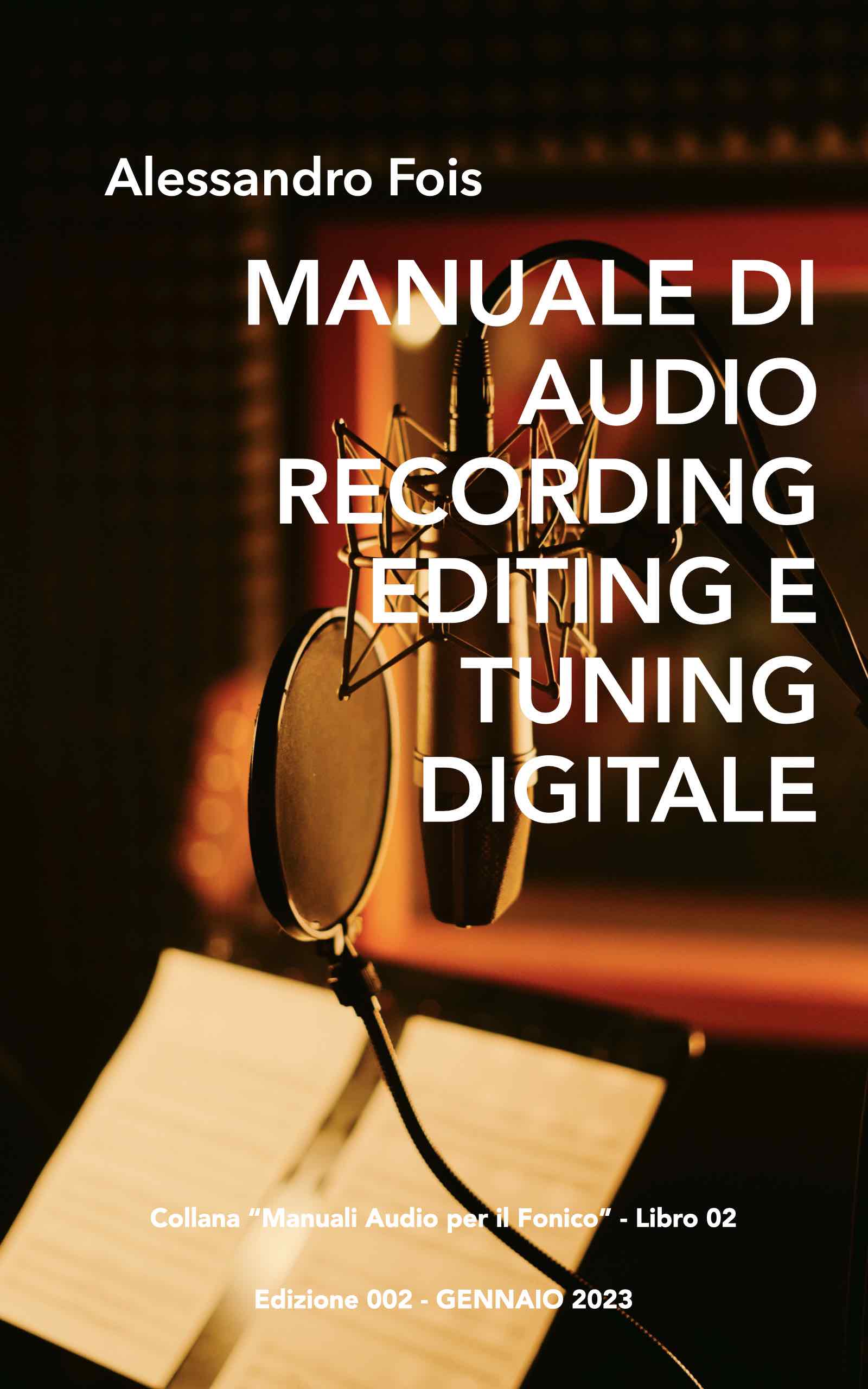
A Handbook on Digital Audio Recording, Editing and Tuning
 Italian
  English
  French
  Spanish
  German
EXCELLENT article – very comprehensive and detailed. Well done to the author, my fellow sound engineer… you’ve taught me a few things I was unsure about. Keep it up, thanks… Where are you from? If you can, please message me privately so we can stay in touch for advice and help.
Hi Piero, I live in Ivrea. If you’d like to get in touch, you’ll find my contact details on the ‘Contact’ page of the website. Best wishes, and thank you for your kind words.